
How to Make a Travel Map Animation for TikTok and Reels
The story
Make the route feel like part of the adventure.
Your footage shows the moments. The map shows the scale. Together, they turn a travel recap into a story people can follow, save, and send to friends.
- Start with the route.
- Show the distance.
- Let the trip feel bigger.
Build the route. Export the story.
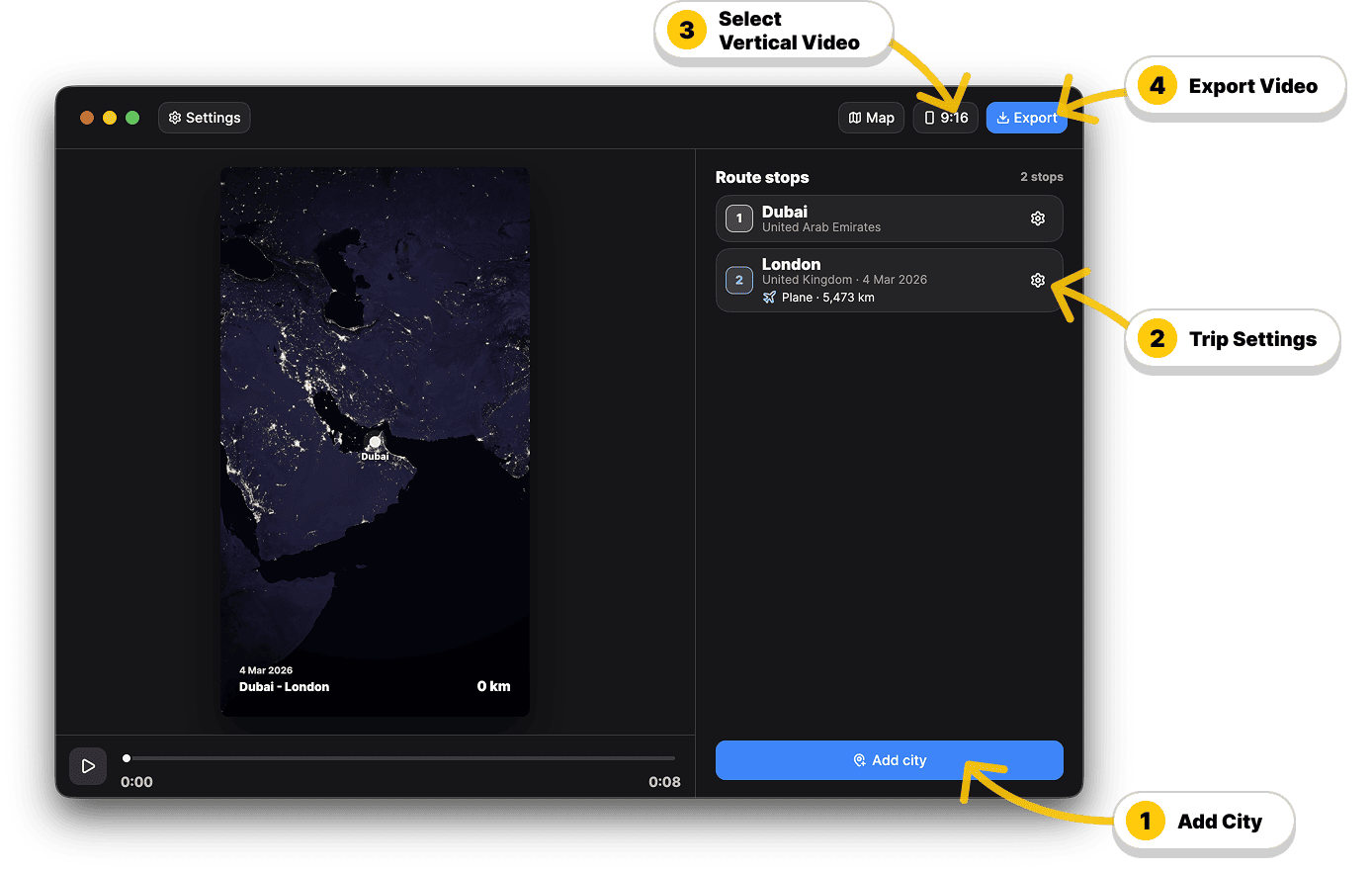
Add stops, choose transport, preview the motion, export locally.
Local export
Create freely. Try again instantly.
TripMap.Video renders on your device with its own engine. No cloud queue. No render credits. Export, adjust, export again until the map lands perfectly in your edit.
- Unlimited local iterations.
- Private by design.
- Built for real editing.
Give your trip a beginning.
Drop a beautiful route animation into your Reel, TikTok, Short, vlog, or group chat recap.
Less explaining. More showing.
A good travel map makes the viewer feel the journey before the first clip even plays.
Before
- Where was this?
- How far did you go?
- Why these places?
- Another static map
After
- A clear route
- A cinematic opener
- A trip that feels intentional
- A video people understand fast
Formats
One journey. Every screen.
Export 9:16 for TikTok, Reels, Stories, and Shorts. Export 16:9 for YouTube, vlogs, and widescreen recaps.
- Vertical for social stories.
- Widescreen for YouTube.
- Same route, different stage.
FAQ
What is the best format for TikTok and Reels travel map videos?
Use 9:16. It fits TikTok, Reels, Stories, and Shorts. Use 16:9 when the same route belongs in a YouTube or vlog edit.
Is video generation cloud-based?
No. TripMap.Video renders locally with its own export engine where export is supported, so you can iterate without cloud queues or per-export credits.
Do I need to draw the route manually?
No. Add city stops, choose transport, and let the app create the moving route.
Can I use it with real trip footage?
Yes. Use it as an opener, transition, or final recap in your travel edit.